
IFTA Report #
IFTA is a fuel tax agreement that streamlines fuel use tax reporting and payment for fleets operating across multiple states and provinces.
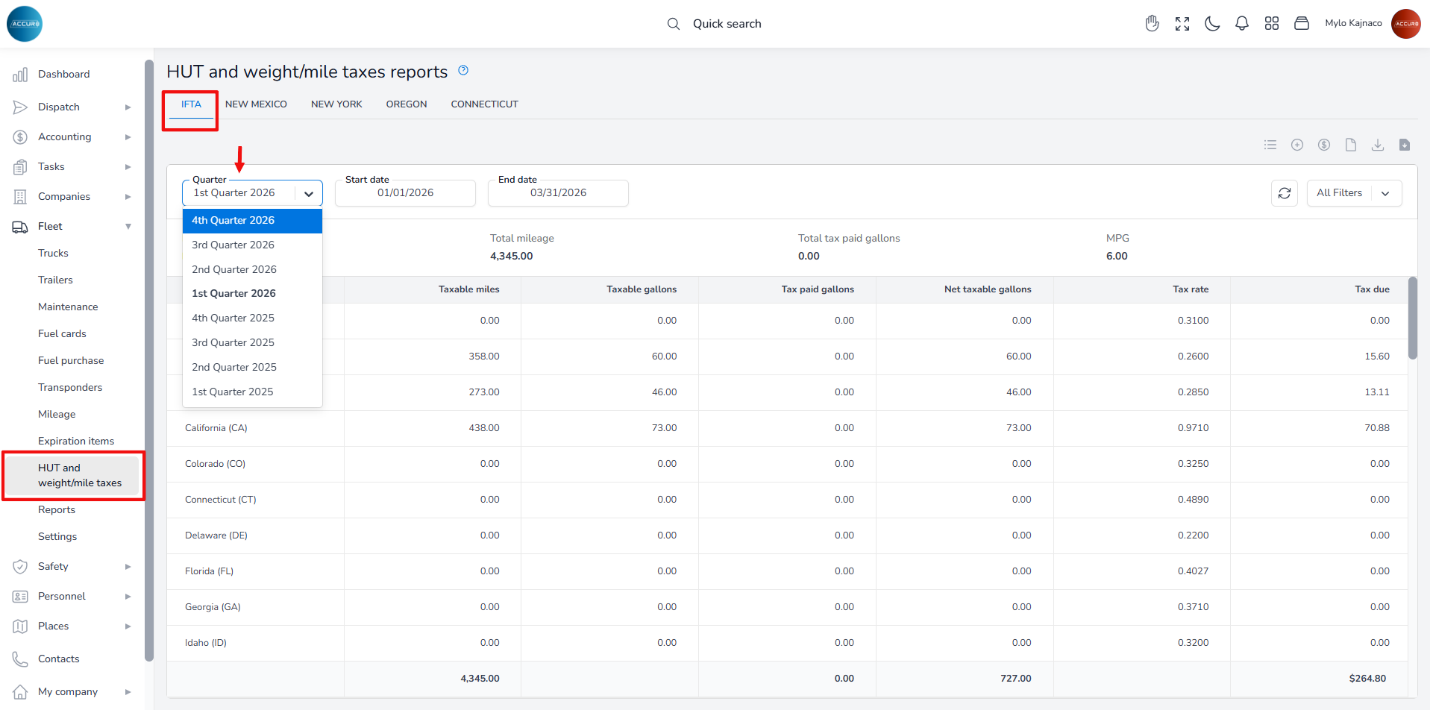
To access these reports in the ACCUR8 system, navigate to the Fleet section on the left sidebar and select the HUT and weight/mile taxes reports option. On this page, click the IFTA tab. Next, choose the Quarter option, and all reports recorded in the system will be displayed.
How it works #
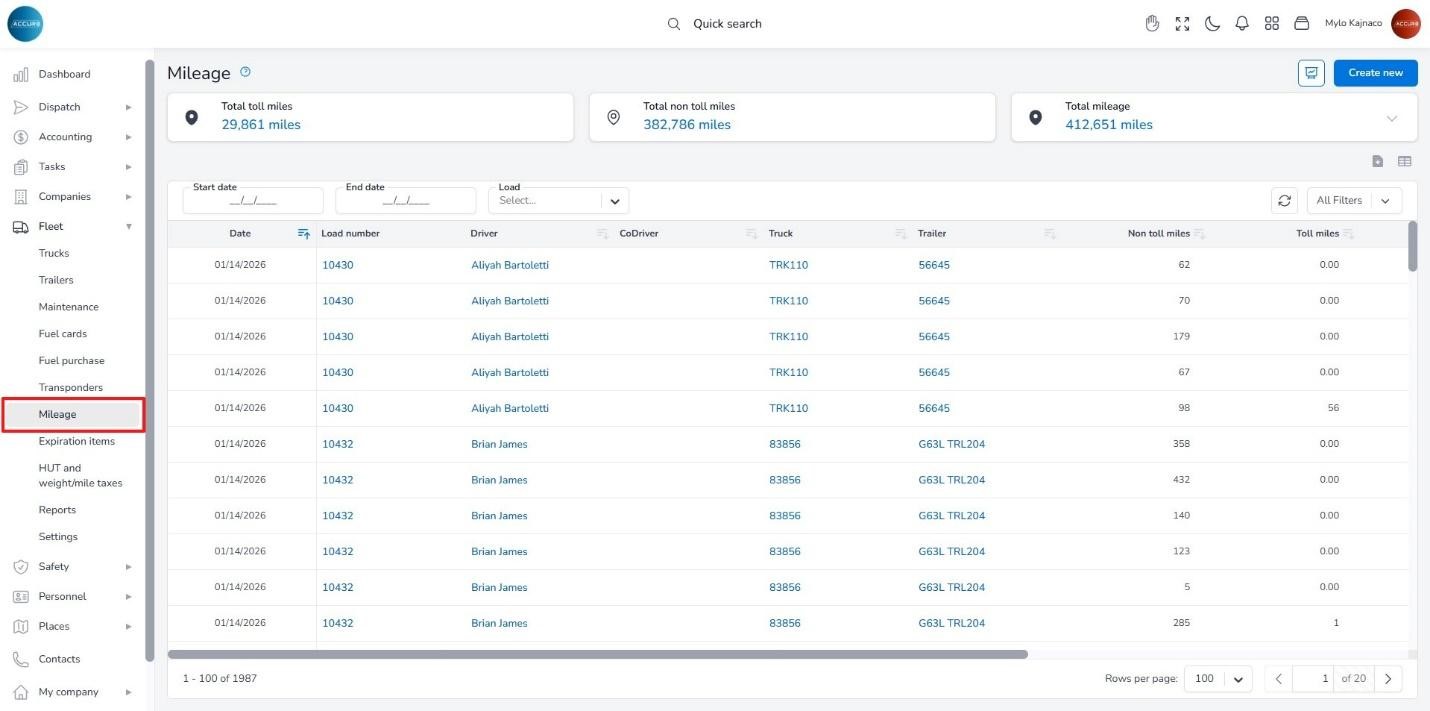
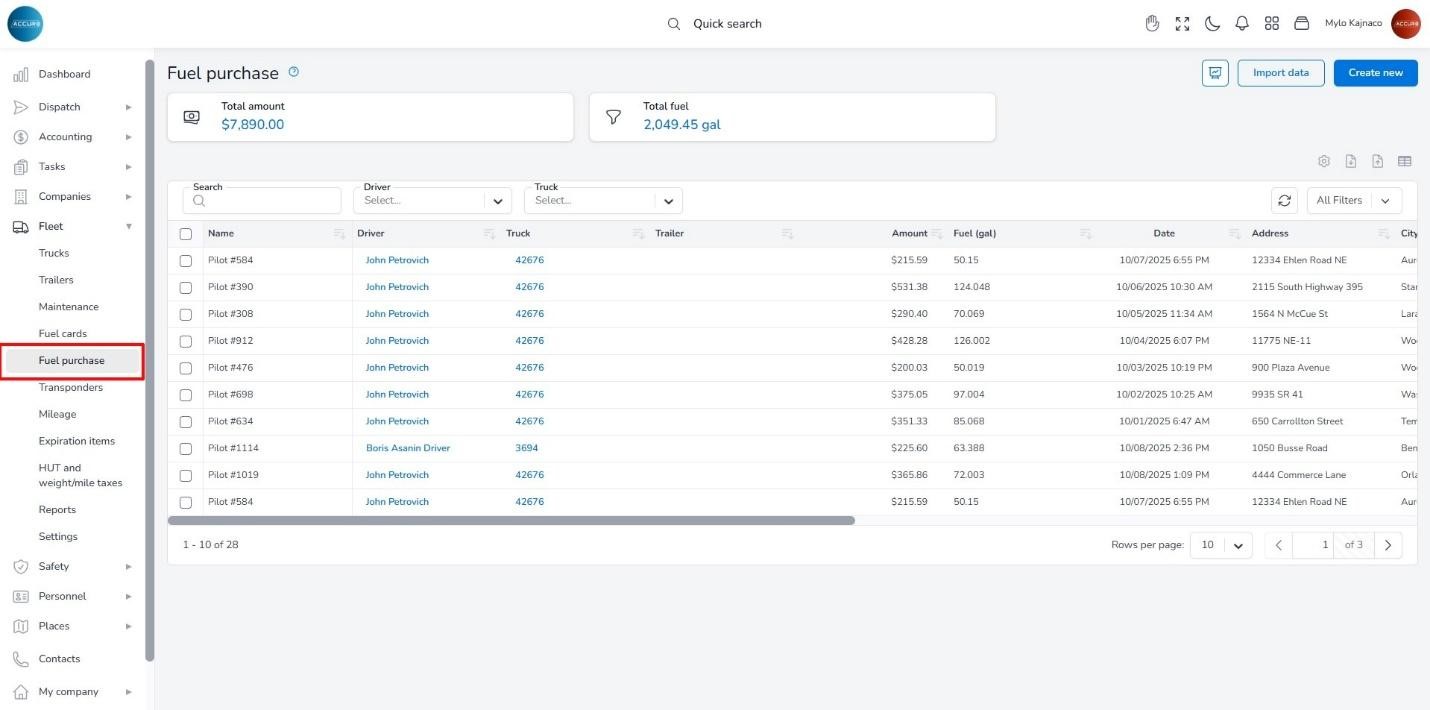
To generate an IFTA report for the selected quarter, the system uses mileage data from the mileage log (recorded upon the delivery of each load) and entered fuel data from the fuel purchases.
You can access the mileage log in the Fleet section under the Mileage option at: https://tms.accur8.services/mileage.
Fuel data is available under the Fuel Purchases option at: https://tms.accur8.services/fuel-purchase.
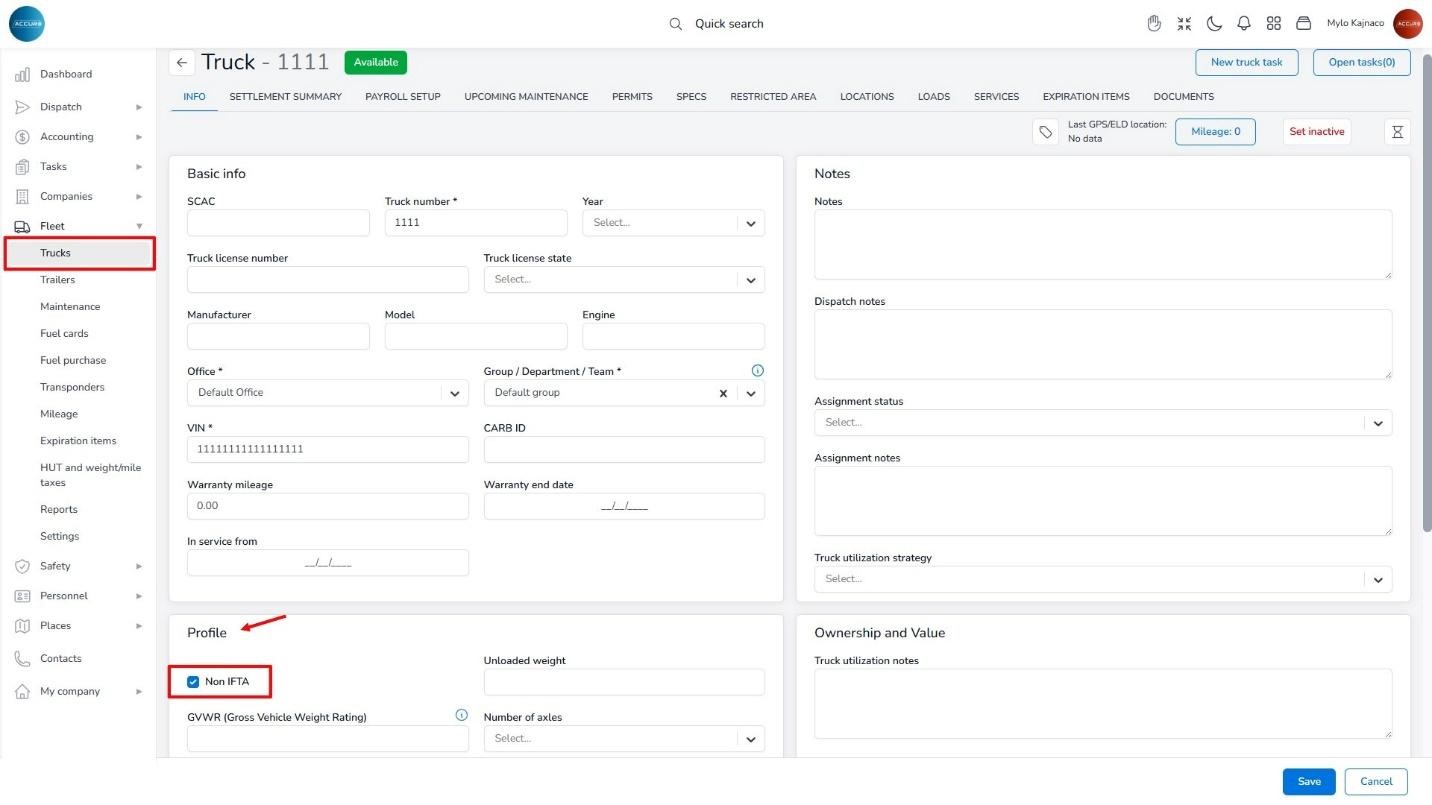
It’s important to note that the IFTA calculation includes trucks that are NOT marked as Non-IFTA. To ensure these costs are excluded from the IFTA report, you must manually set this option for each truck on its Info tab, under the Profile section.
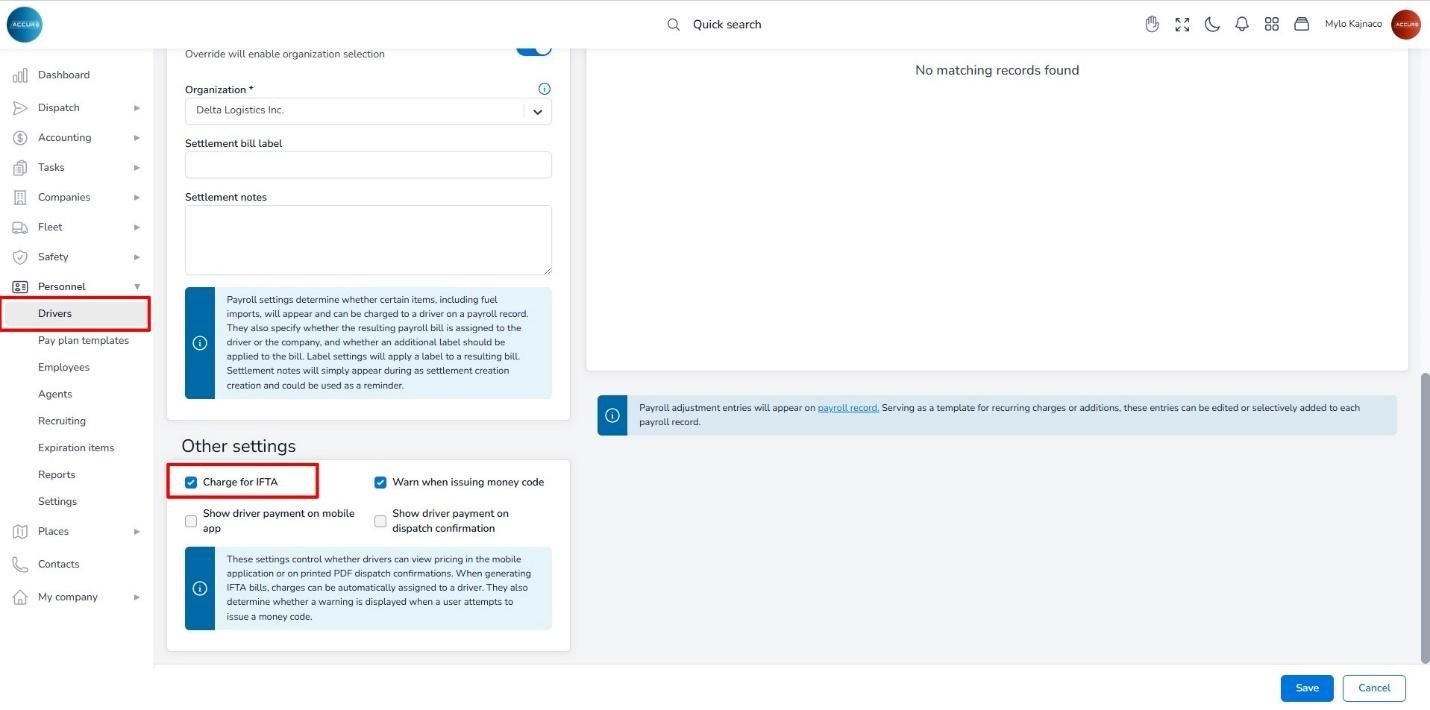
To charge a driver for the IFTA, you need to mark the Charge for IFTA option in the driver’s Payroll setup tab under the Other settings option. By doing this, charges will be automatically assigned to a driver when IFTA bills are generated.
Where to check the values #
Since the system takes split mileage into account, the most common issue is ensuring that empty miles are accurately recorded. If they are not, you may need to perform an individual recalculation for each load.
When it comes to fuel purchases, verify that all imports have been completed, check for any duplicates, and determine whether you need to manually enter fuel data for drivers who pay for their own fuel while the company is responsible for calculating their IFTA tax.