
Correcting and Deleting Fuel Bills #
If a fuel bill has already been imported and a driver’s fuel discount, payroll setup, or charge-to setting is added or modified afterward, the existing bill will not update automatically. To correct this, manually update the corresponding entries in both the bill and the fuel list. This ensures the changes are applied immediately, without waiting for the next fuel import.
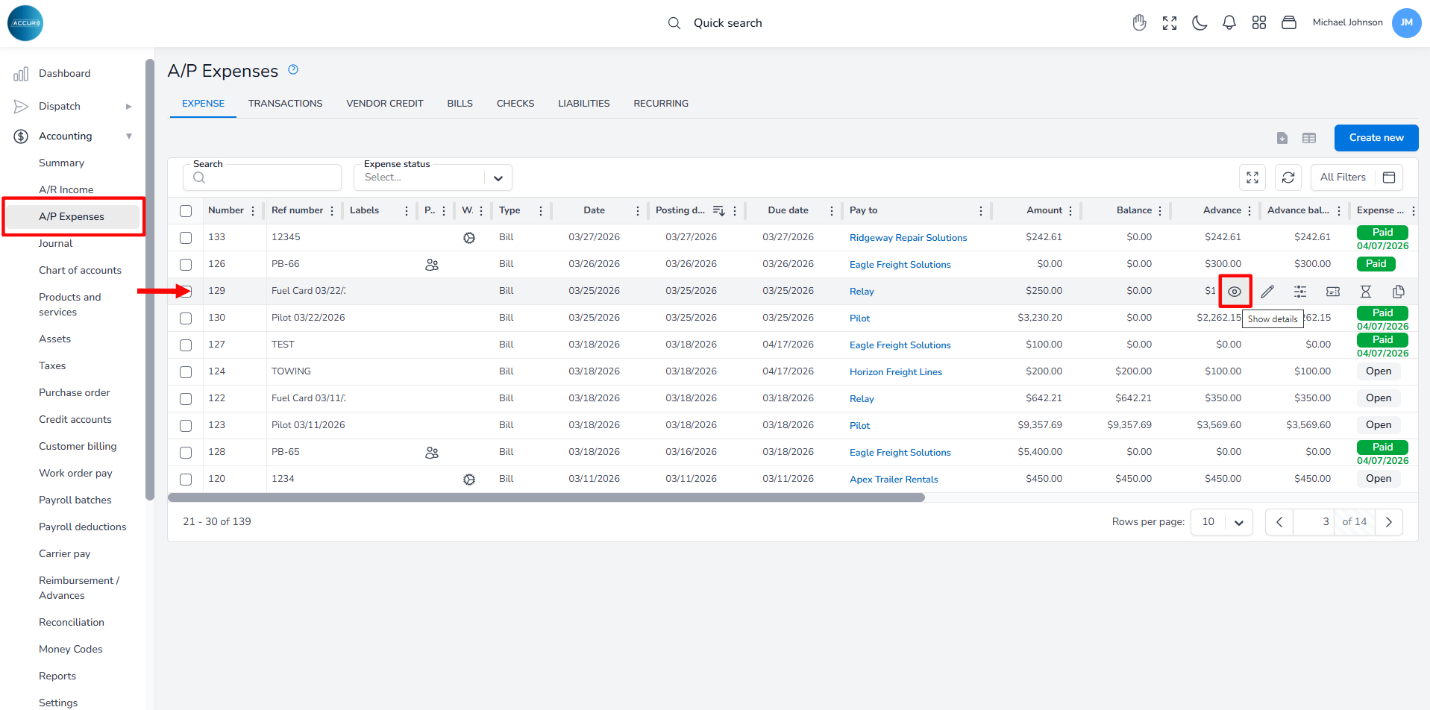
To do this, go to the A/P Expense page and locate the bill in the list; then, hover over it and click the Show Details button.
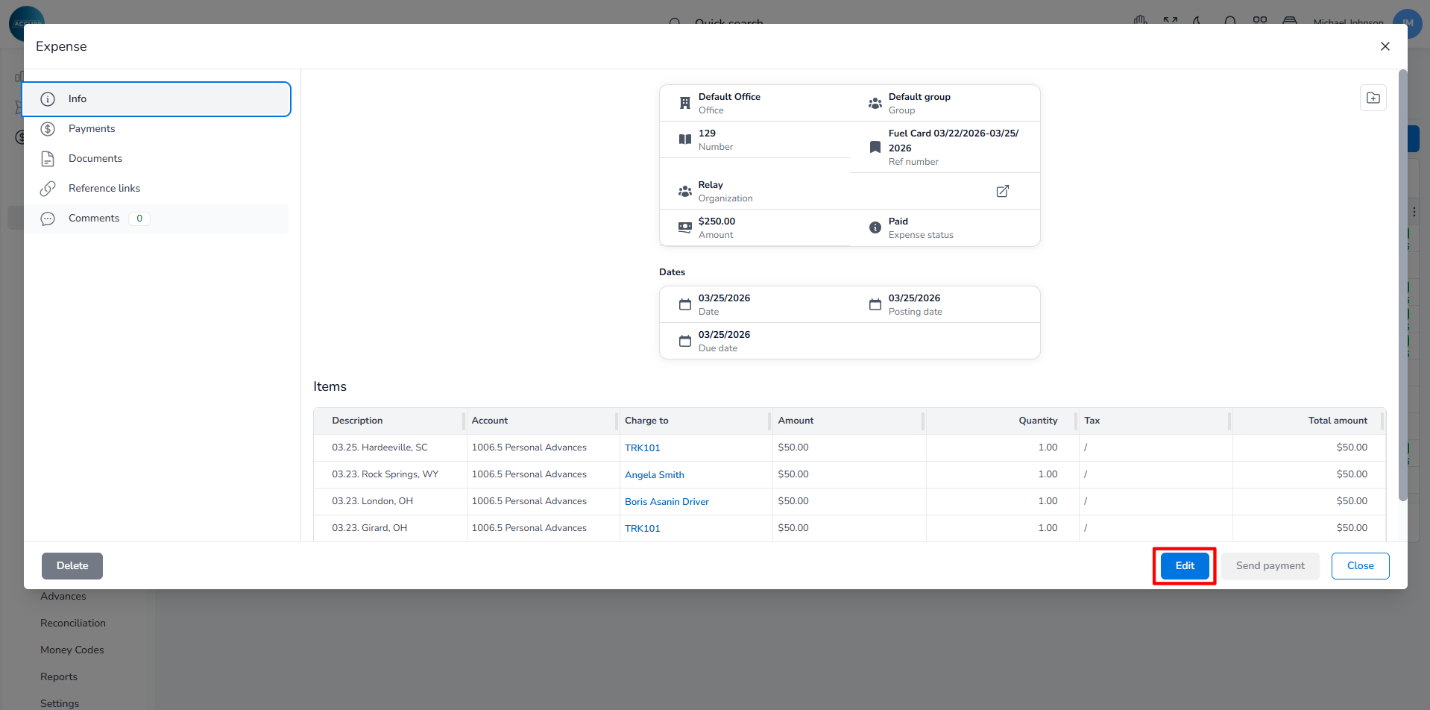
In a pop-up window, click the Edit button at the bottom right of the page.
Locate the bill in the Items list.
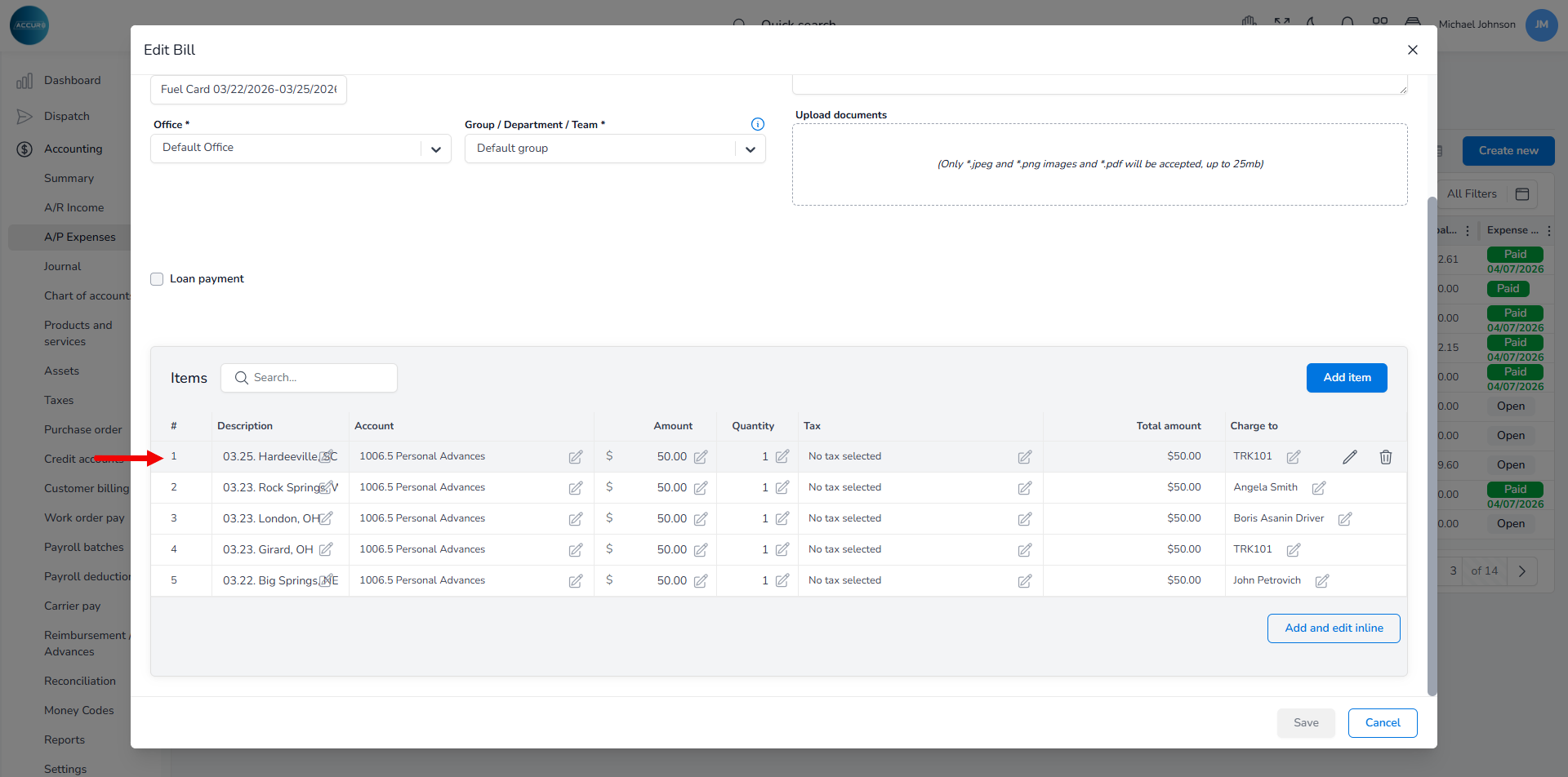
The list is divided into several columns. In each column, you can make changes by clicking the edit button.
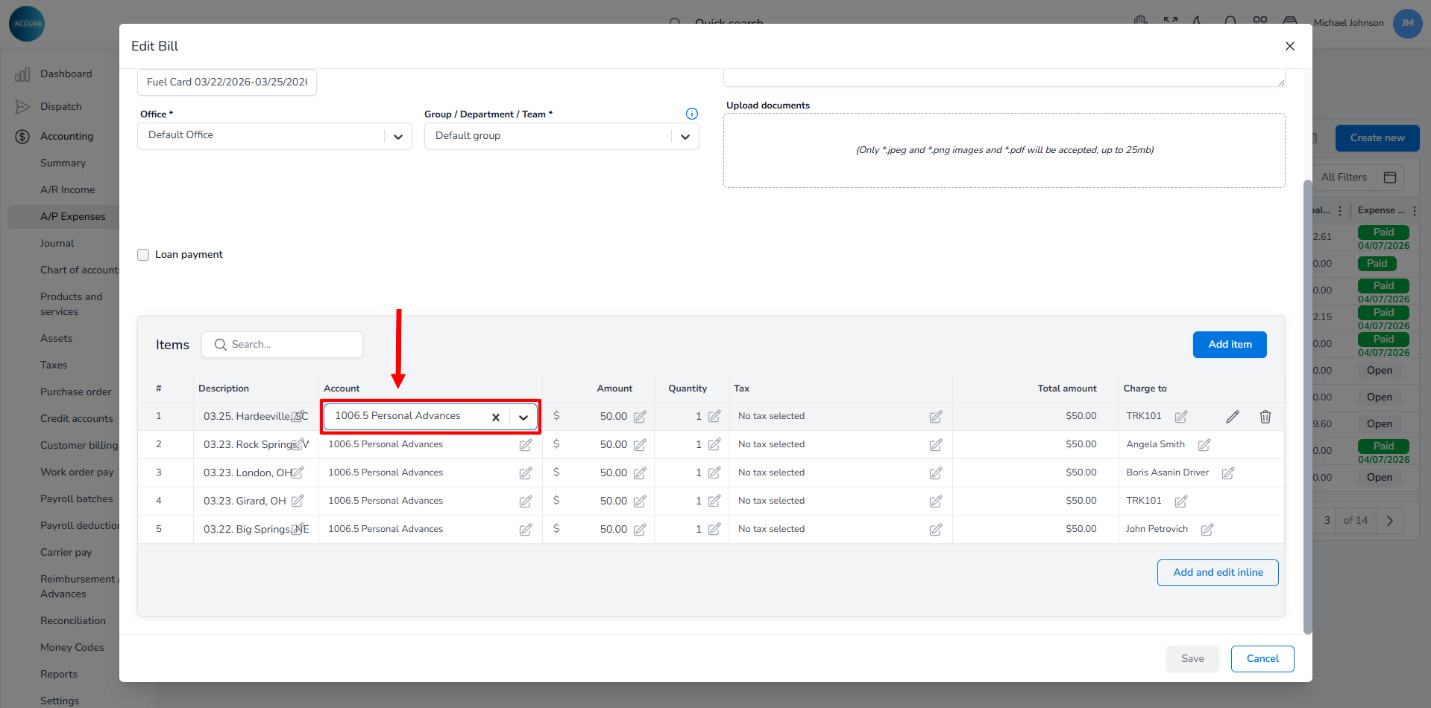
If you need to change an account from a company fuel expense account to the appropriate driver charge account (e.g., Fuel Advances or the account your company uses for driver fuel charges), click the Account column and select the correct one from the drop-down menu. This prevents the amount from being posted as a company expense when it should be charged to the driver.
If the discount needs to be applied manually for this import, adjust it in the Amount column based on your company’s calculation. The Total amount column will automatically reflect this update.
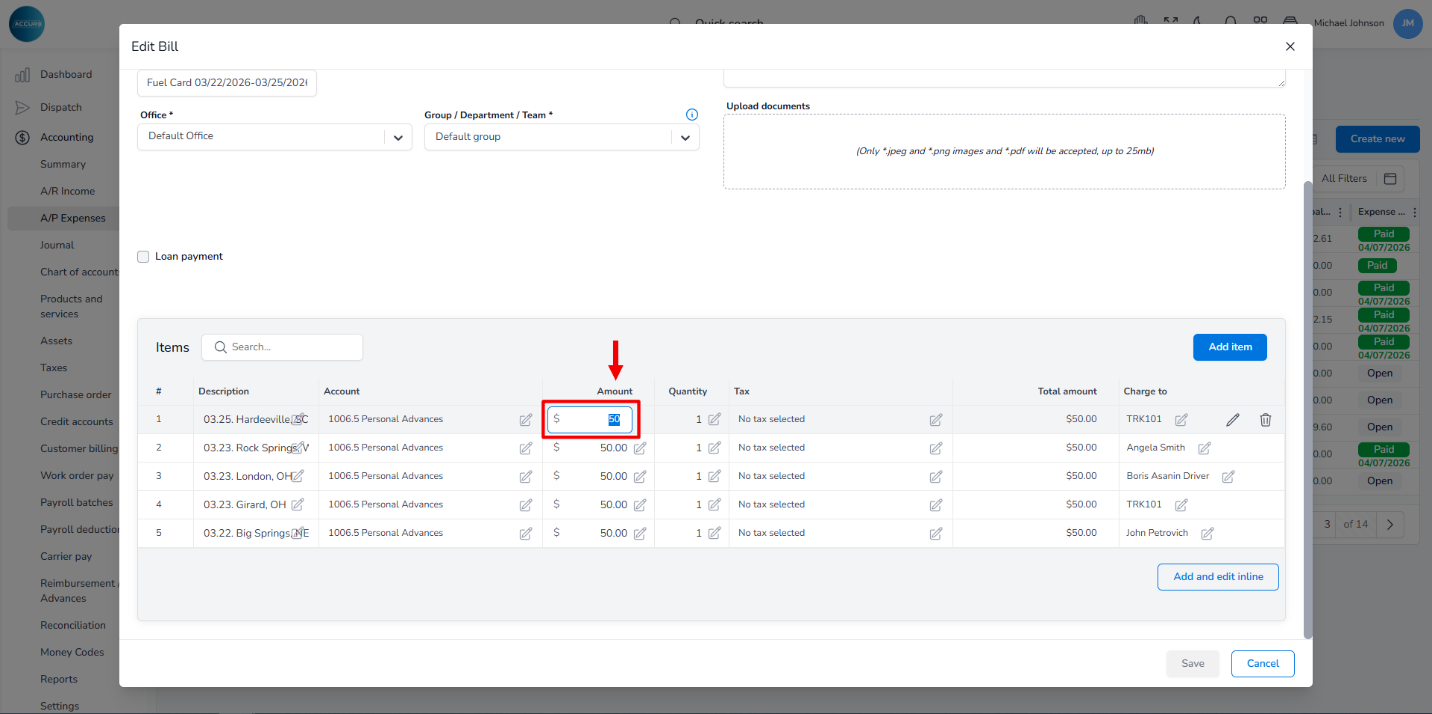
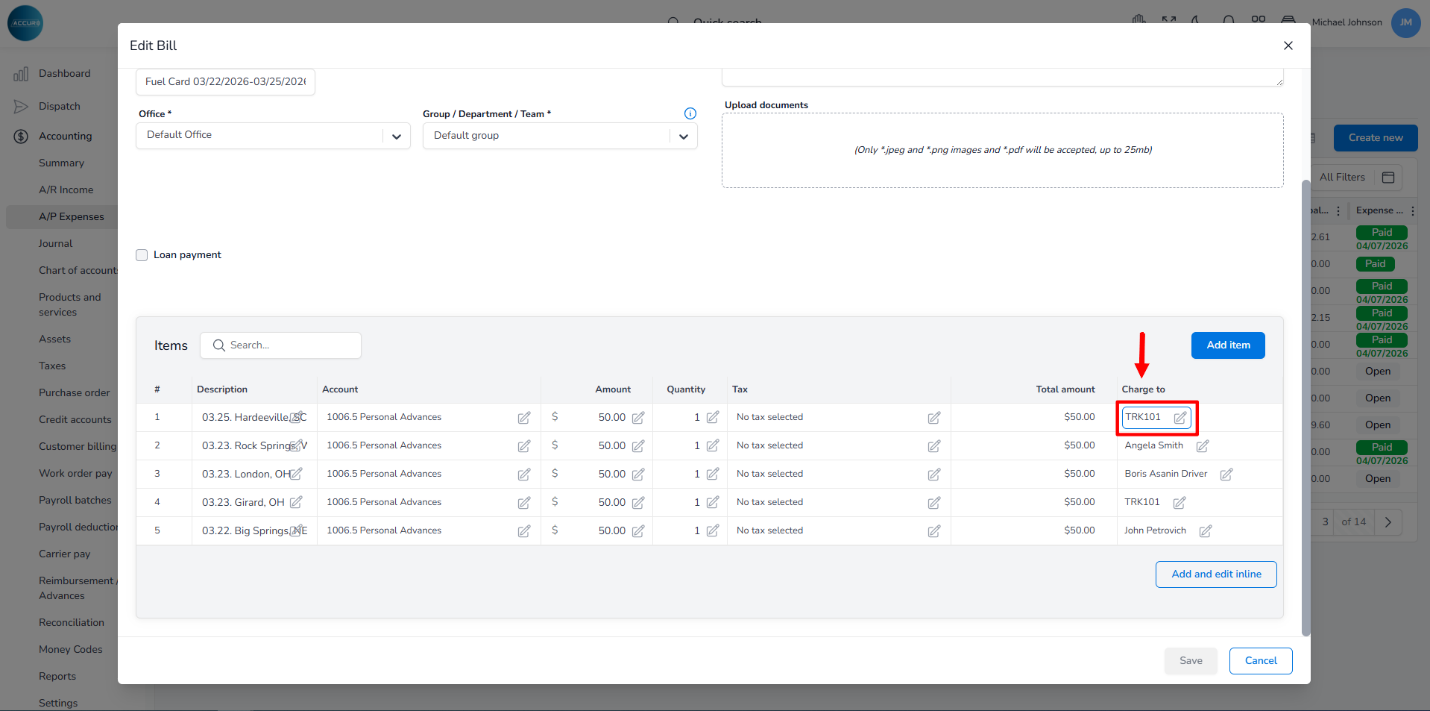
To change who pays for the fuel, click the Charge to column.
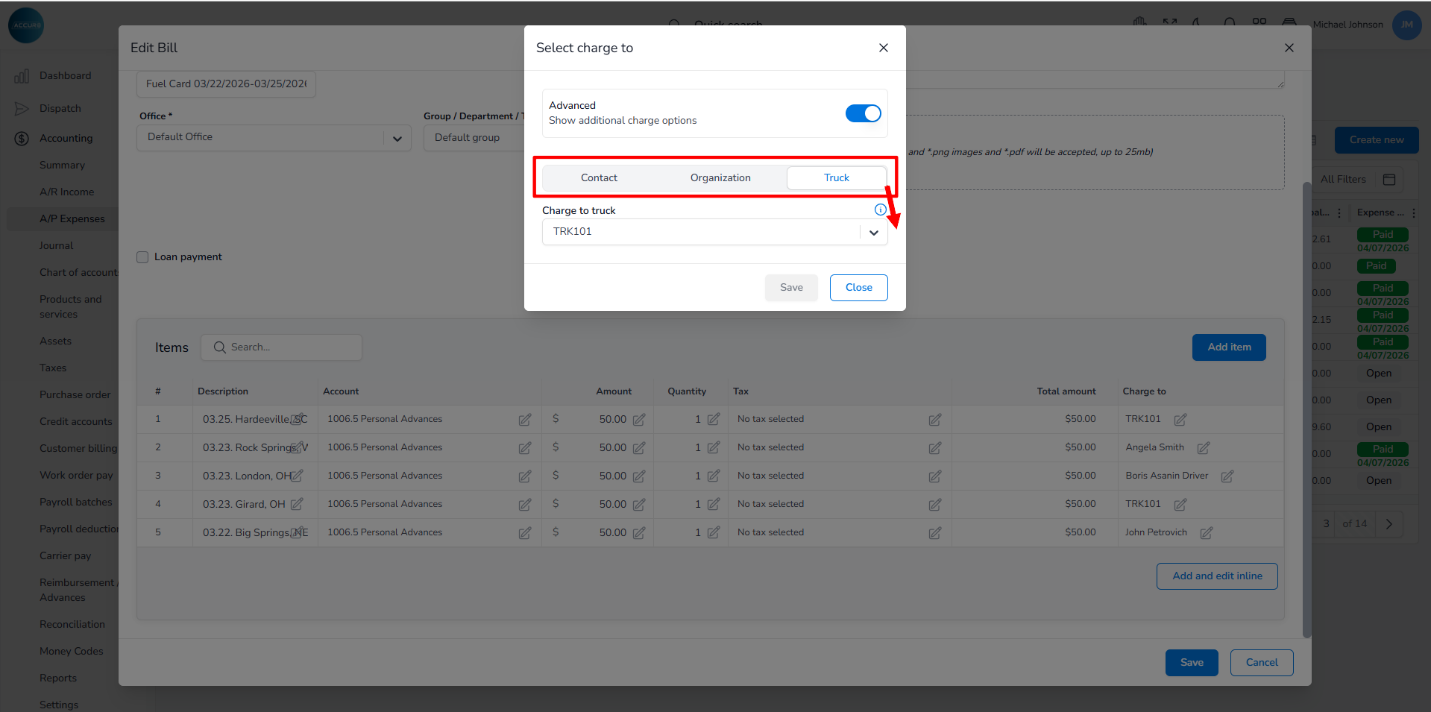
A pop-up window will appear, allowing you to select a driver, company, or truck owner responsible for the payment, and save your correction.
Finally, click the Save button to save the bill, then review the bill balance and the corresponding driver settlement or advance record to confirm the correction was applied properly.
Important: If you choose to delete and re-import a fuel file instead of manually editing the bill, make sure first to remove any existing fuel import records from the system to avoid duplicate imports.
To delete a fuel bill, go to the Items list, find the bill, hover over it, then click the Delete button.
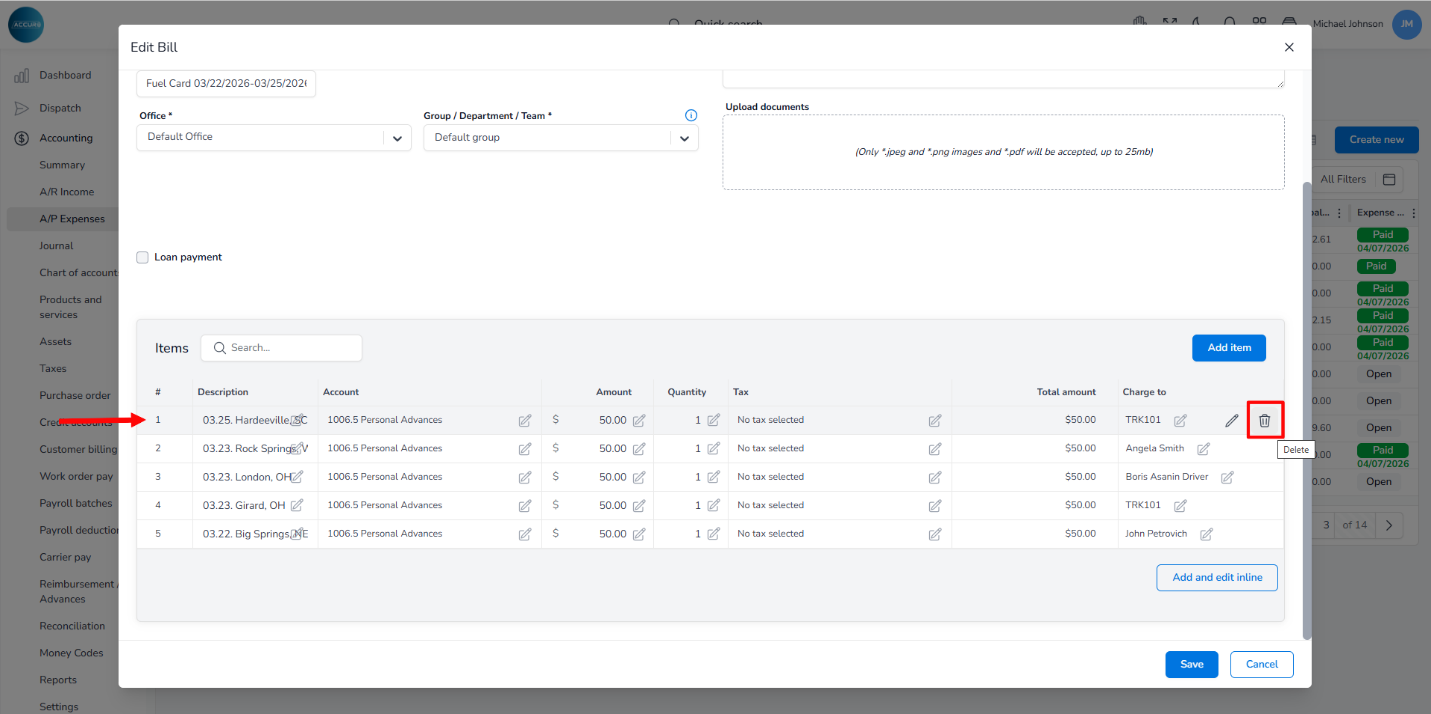
*Please note that already processed bills cannot be deleted.